Categories
Portfolio

Corporate Job Aid Design and Interactive PDF Development

Enhancing Learning with a Professional Corporate Job Aid Design

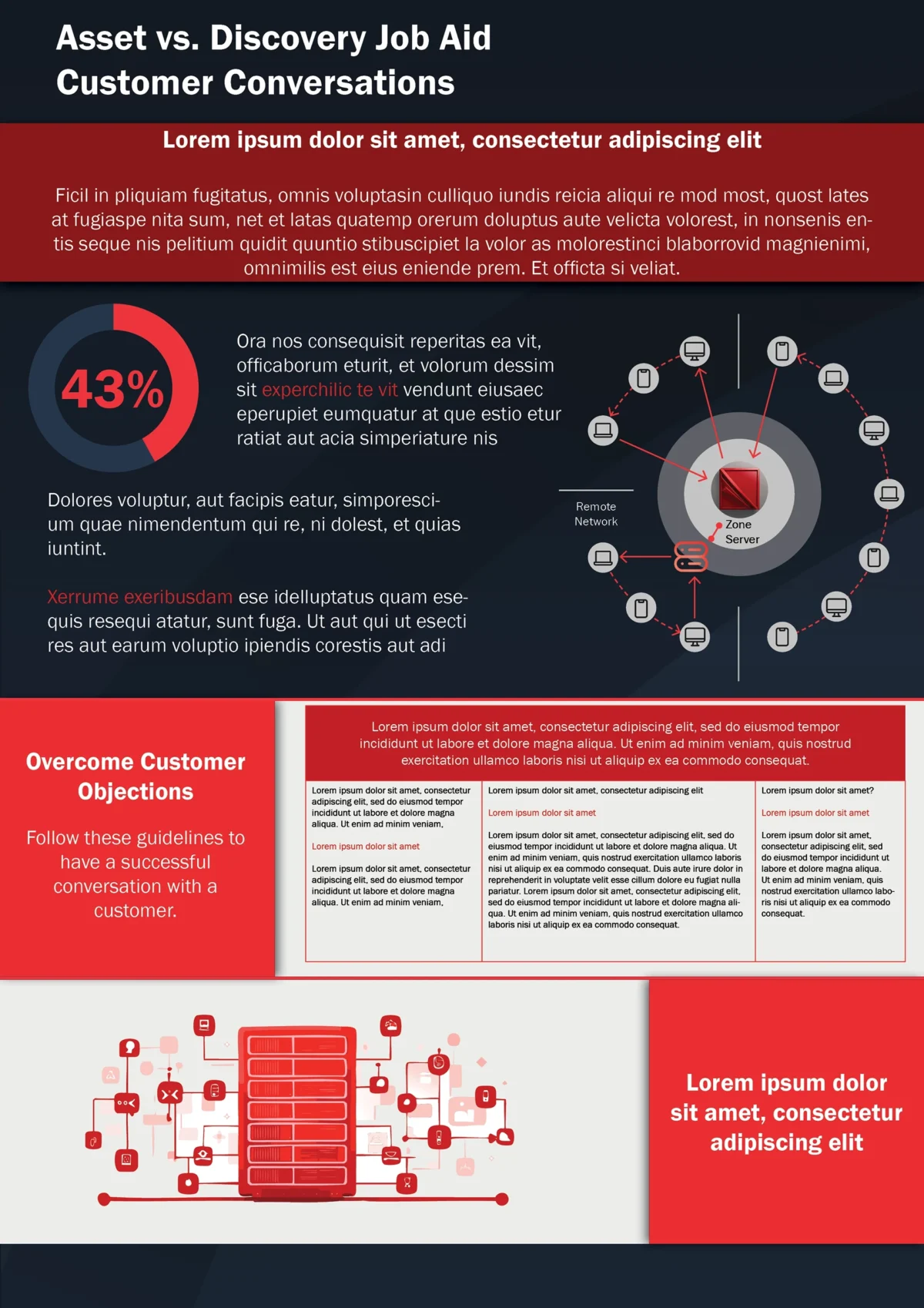
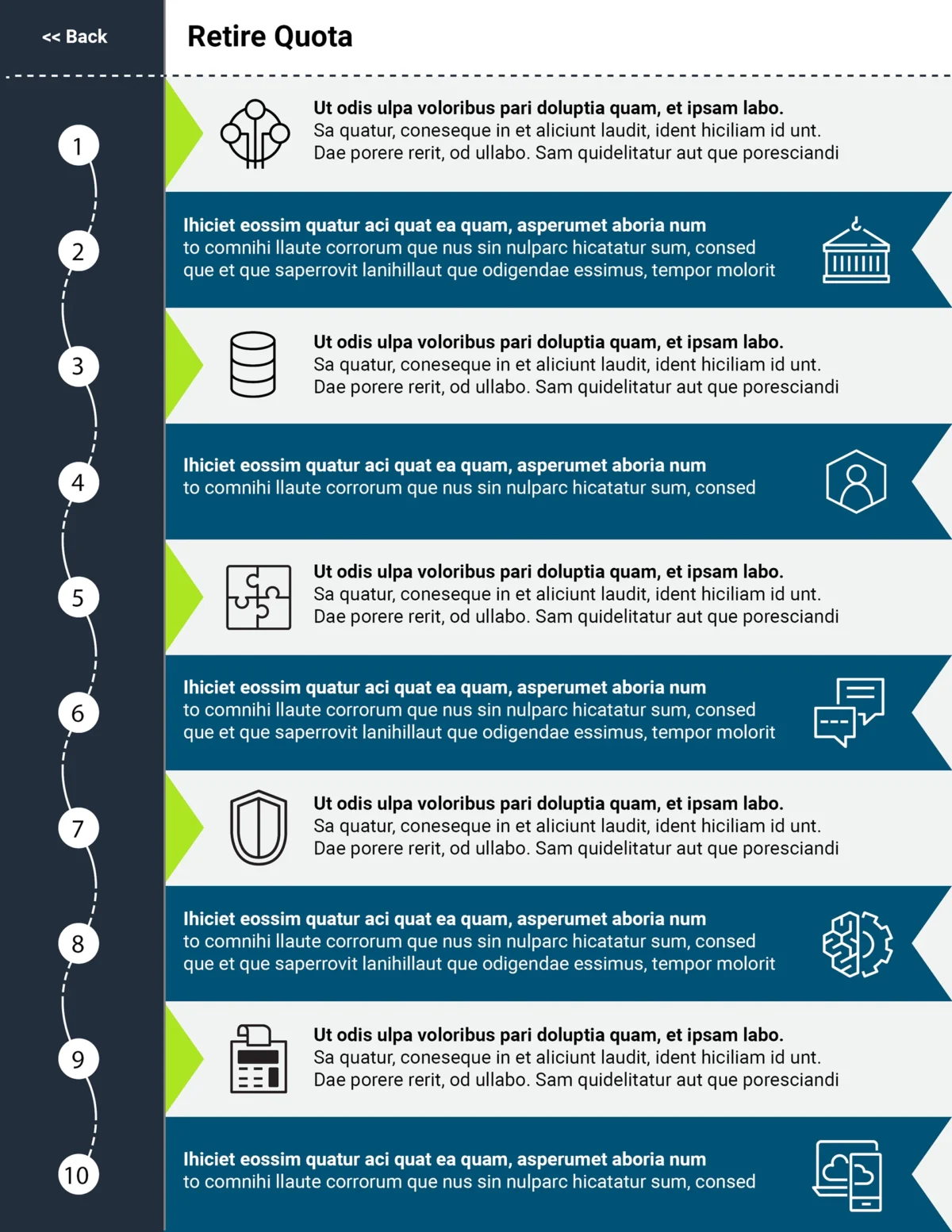
A well-crafted corporate job aid design greatly improves information retention. Our global client required a printable eLearning job aid that was visually structured, easy to read, and fully aligned with their brand. Additionally, we transformed it into an interactive asset, ensuring a seamless user experience. By incorporating branded corporate document design and custom job aid graphics, we delivered a professional job aid that effectively conveyed key concepts.

Challenge

The client provided raw data and needed a structured, printable eLearning job aid. Moreover, the job aid design had to incorporate branded corporate document design without altering the content. Additionally, it needed to function as both a print-ready job aid and an interactive job aid PDF, ensuring flexibility for different use cases.

Goal

Ensure clarity with a job aid design that includes custom job aid graphics. Additionally, maintain brand consistency while structuring the content for better readability. Finally, convert the print document into an interactive asset to enhance digital accessibility.

We developed a job aid that seamlessly blended clarity with branding. First, we structured the content for readability and ensured a visually engaging layout. Then, we incorporated custom job aid graphics and branded corporate document design to make the information easy to digest. Lastly, we converted the document into an interactive job aid PDF for digital use.

Features

  • Designed a printable eLearning job aid for seamless offline use.

  • Created an interactive job aid PDF with clickable elements for navigation.

  • Implemented branded corporate document design with company colors and fonts.

  • Added custom job aid graphics to enhance engagement.

  • Structured content for clarity and better information retention.

The client was highly satisfied with the job aid design and truly appreciated the balance between branding and readability. Moreover, the printable eLearning job aid was easy to use, while the interactive job aid PDF streamlined digital access. As a result, they printed it with excellent results. Later, they returned with additional project requests, further reinforcing the document’s success.
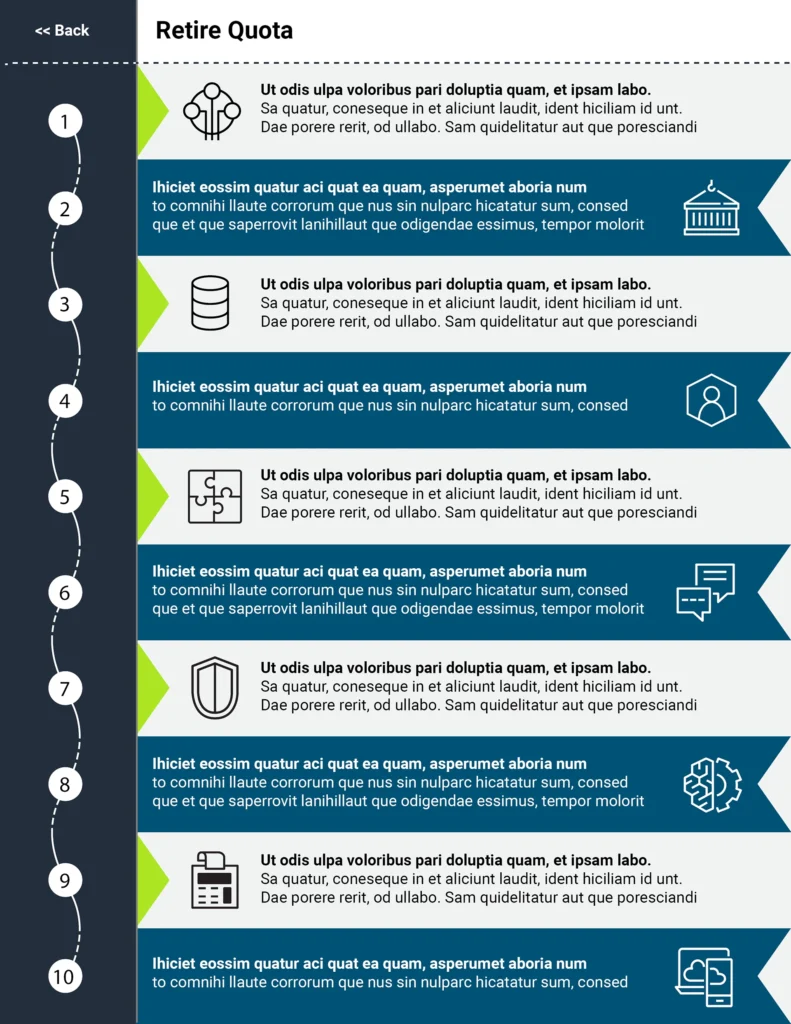
Vertical sales funnel infographic mapping the lead-to-conversion journey with milestone visuals.
Categories
Portfolio

Corporate Job Aid Branding for Sales Teams

Transforming Sales Job Aid Design with Corporate Job Aid Branding

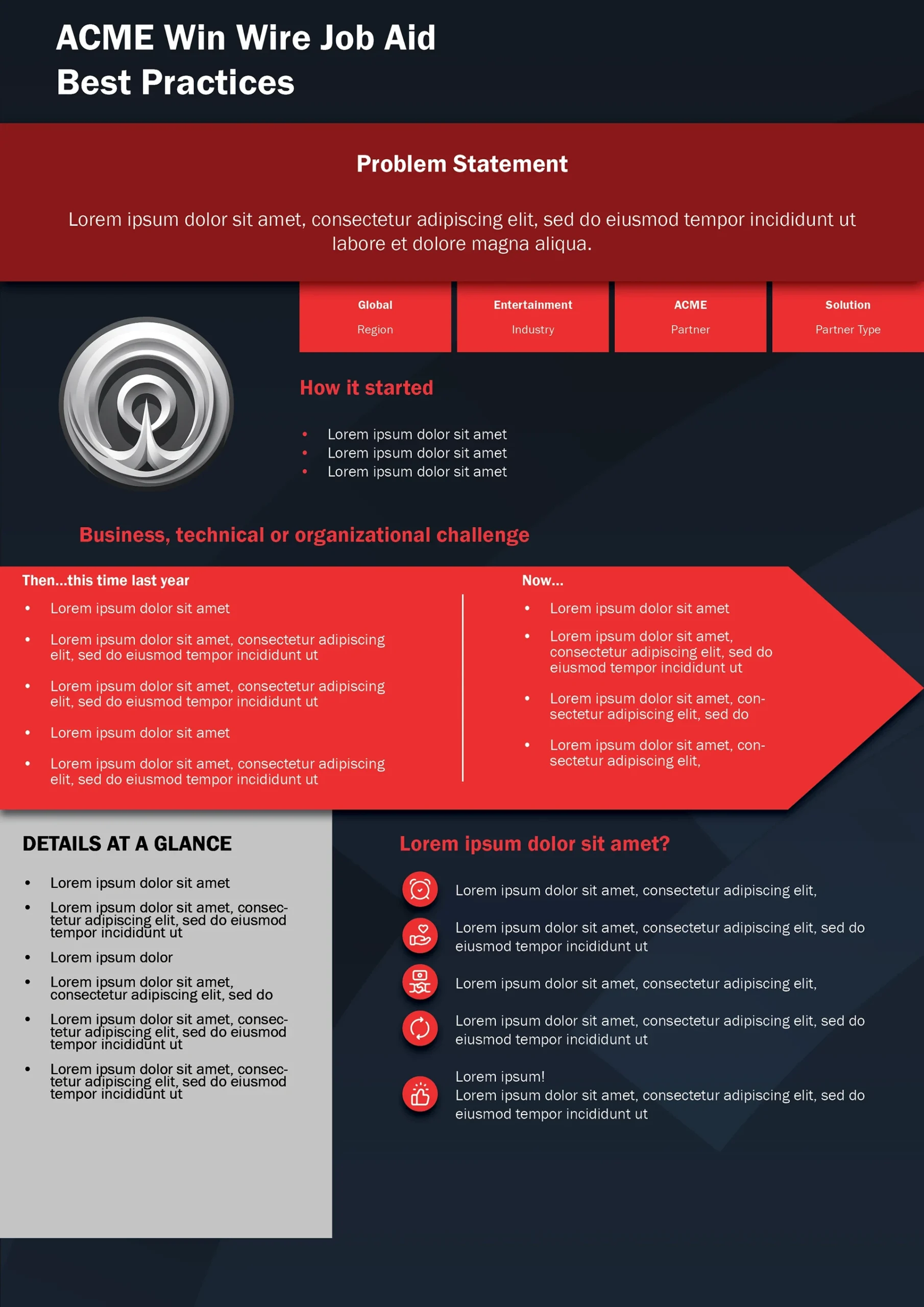
A well-structured corporate job aid branding approach can make a significant impact on training effectiveness. Our client needed a sales job aid design that aligned with their corporate learning resource design while maintaining its original structure. By enhancing the professional job aid formatting, we created a branded instructional material that was both visually engaging and easy to use.

This redesign not only improved clarity but also ensured the document fit seamlessly within the company’s eLearning materials. In the end, the project successfully merged job aid branding with practical usability, making it a valuable asset for the sales team.

Challenge

The client provided a sales job aid design that lacked corporate branding and a professional look. However, they did not want to alter the structure or content. The primary challenge was to integrate their corporate identity into the document while maintaining the existing format.

Goal

Our objective was to refine the corporate job aid branding by applying a branded instructional material approach. The document needed to be clear, visually engaging, and aligned with the corporate learning resource design. In addition, it had to remain easy to use for the sales team and seamlessly transition into an eLearning module.

We redesigned the sales job aid design to align with the client’s corporate job aid branding guidelines while preserving the original structure. This ensured a seamless transition for users already familiar with the content.

Features

  • Professional job aid formatting – The structure remained the same, but we enhanced the design for clarity.

  •  Branded instructional materials – We applied corporate colors, fonts, and assets to reinforce brand identity.

  •  Visual improvements – Icons, spacing, and layout refinements made the document more readable and engaging.

  •  Print-ready and digital-friendly – The final design was optimized for both print and digital use.

  •  eLearning integration – The branded document was successfully implemented into an online training module.

The client was thrilled with the results. They appreciated the corporate learning resource design, which not only improved the document’s visual appeal but also made it easier to use. Sales teams found the new format highly effective, and the company later expanded the branded instructional materials into an eLearning project.

This project highlighted how thoughtful corporate job aid branding can improve usability and reinforce a company’s identity across multiple learning formats.

Categories
Portfolio

Custom Sales Infographic Design for Global Enterprise

Custom Sales Infographic Design That Elevates Business Data Visualization

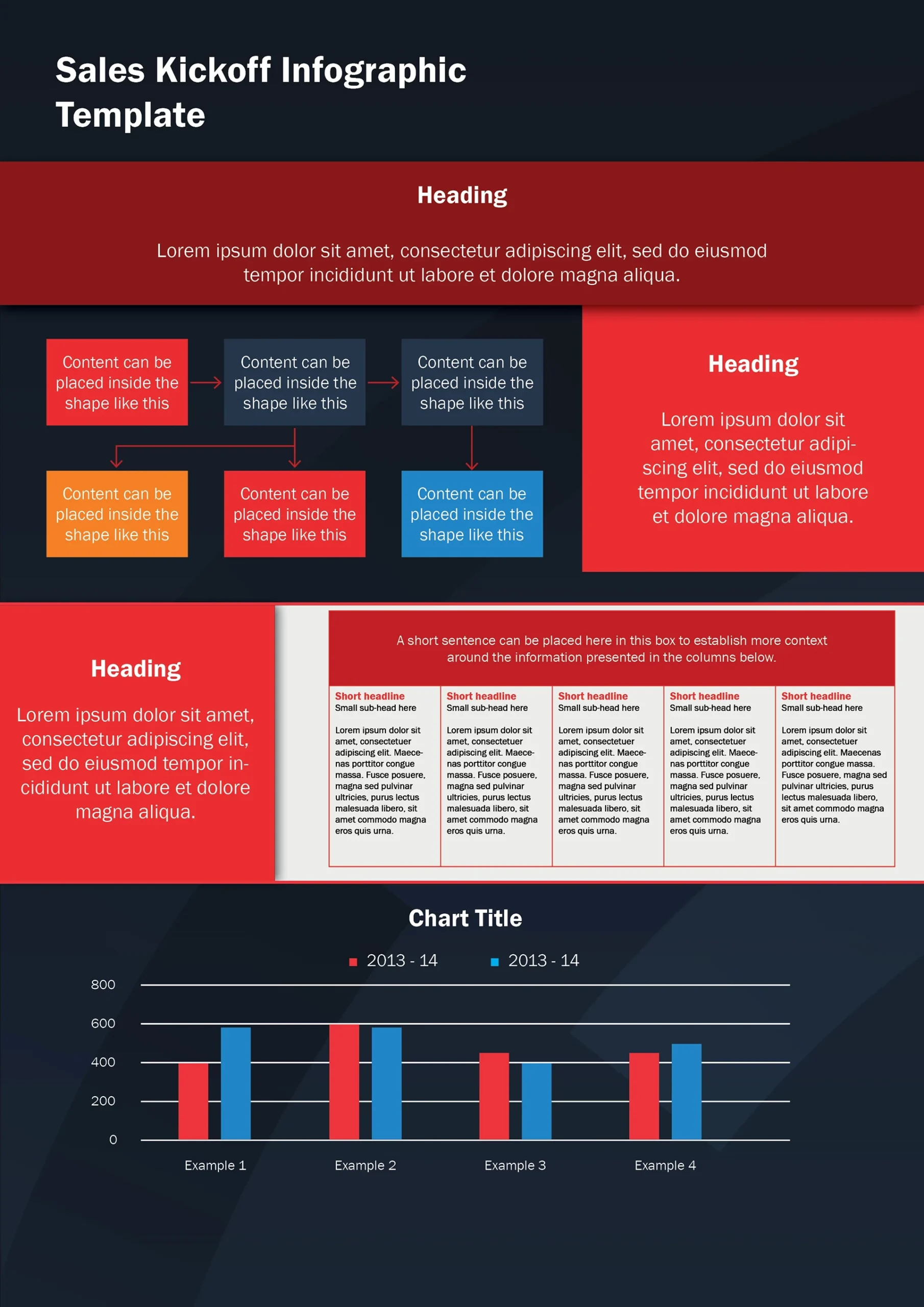
Creating an effective custom sales infographic design is essential for conveying complex information in a visually engaging way. Our expertise in professional infographic development ensures that raw data is transformed into clear, structured visuals that captivate your audience. Whether you need corporate infographic design for internal reports or sales presentation graphics for client meetings, we craft infographics that enhance clarity and impact. Additionally, our business data visualization techniques help break down intricate concepts, making them more digestible. By combining compelling visuals with a strategic layout, we make sure your message is not only seen but understood.

Challenge

The client provided raw data in a PowerPoint presentation that lacked structure and visual appeal. They needed a professionally designed job aid that was both informative and engaging. Additionally, the final design had to follow their corporate infographic design standards while ensuring readability.

Goal

Our goal was to create a custom sales infographic design that clearly conveyed key information. The design had to follow the client’s corporate branding guidelines while making the content more engaging. We used business data visualization techniques to improve clarity and impact. At the same time, we ensured seamless alignment with the company’s existing materials.

To transform the raw data into a professional corporate infographic design, we focused on both structure and visual appeal. Our goal was to ensure that the final product was engaging, easy to digest, and fully aligned with corporate branding.

Features

  • Reusable InDesign Template – We developed a custom InDesign template, allowing the client to reuse and modify the job aid for future projects with ease.

  • Branded Visuals – The design incorporated brand assets and corporate colors, ensuring consistency with the company’s visual identity.

  • Infographics & Charts – We created custom data visualizations, including business data visualization elements and structured infographics, to make complex information more digestible.

  • User-Friendly Job Aid – The final design presented key points in a clear, structured format, making the content easy to understand at a glance.

  • Print-Ready Design – We ensured the sales infographic design was optimized for both digital and print formats, allowing seamless distribution across multiple platforms.

The client was highly satisfied with the corporate infographic design. They appreciated the balanced use of brand assets and corporate colors, which ensured a professional yet engaging look.

Additionally, they found the reusable InDesign template incredibly valuable. It allowed them to maintain brand consistency across future materials with ease. The business data visualization elements were also well-received. Later, they integrated the structured infographic format into other corporate documents.

As a result, their internal and external communications became more visually cohesive and engaging.

Categories
Portfolio

Corporate Case Study Refinement

Corporate Case Study Refinement: Transforming Business Reports into Engaging, Branded Case Studies

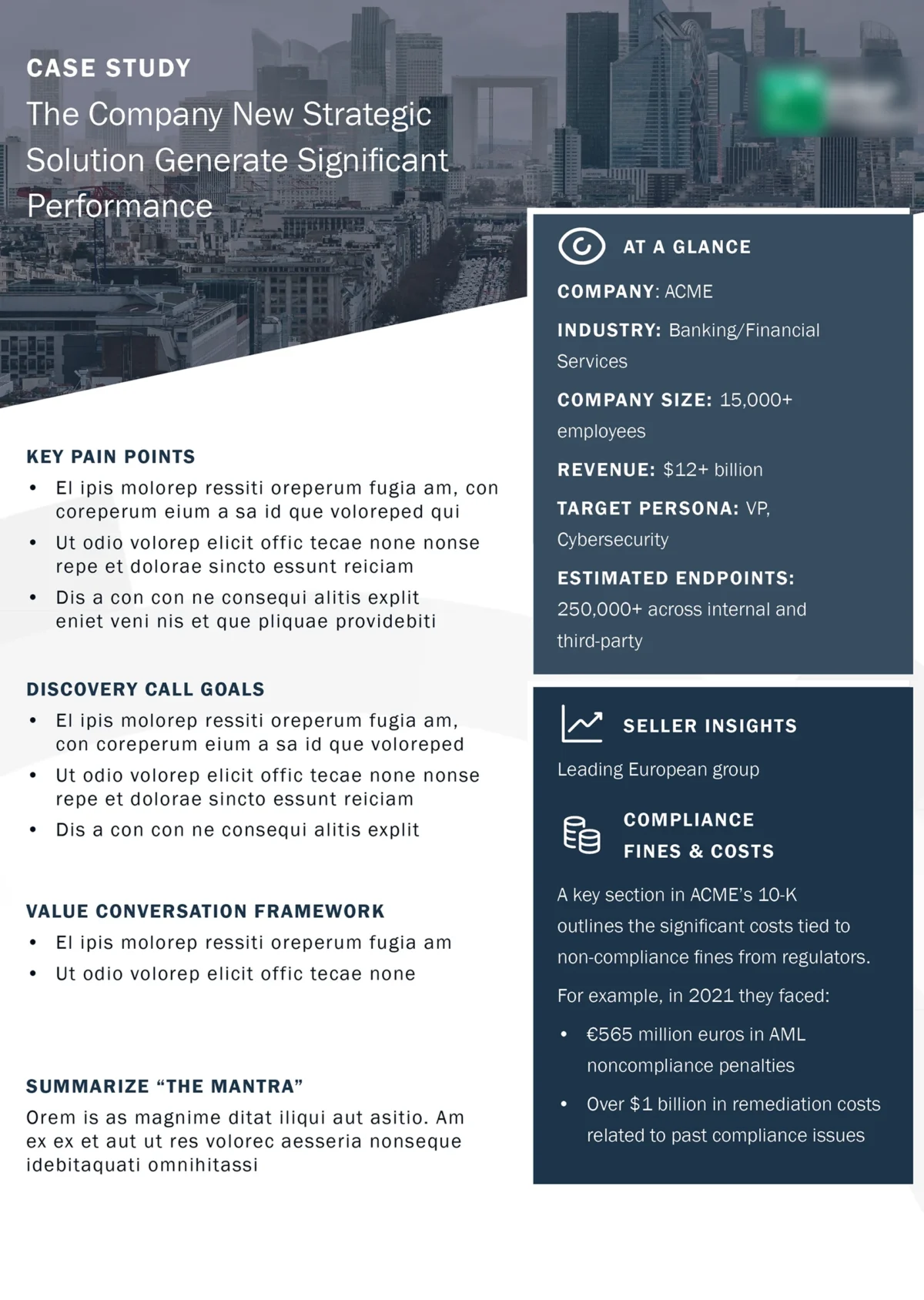
A well-structured case study helps showcase business success. However, poor case study formatting can weaken its impact. Our corporate case study refinement service improves readability and ensures a professional case study layout.

We also focus on branded case study design, making reports more engaging and visually aligned with your corporate document design. Whether it’s a marketing case study redesign or a strategic business document, we refine every detail. The result is a polished and compelling presentation that enhances your brand’s professionalism.

Challenge

The client provided a basic design job aid but needed it to be more engaging while keeping the original business presentation design mostly intact. Additionally, they requested strict adherence to their corporate branding design guidelines. Our challenge was to enhance the document’s appeal and update the content without loosing the main structure of the document.

Goal

Our objective was to refine the existing layout, ensuring a marketing case study redesign that looked more modern yet stayed true to the brand. We aimed to highlight key information effectively while maintaining a professional and cohesive look. By integrating corporate case study refinement techniques, we elevated the design while preserving clarity and brand consistency.

To enhance the corporate case study refinement, we carefully restructured the document while preserving the original layout.

Using business presentation design principles, we ensured a professional yet engaging look. Additionally, we refined the text content based on client requests and maintained a cohesive corporate branding design with a well-balanced color scheme.

Features

  • Wireframe Refinement – We recreated a structured wireframe that followed the original content’s distribution, ensuring a seamless transition to a more polished marketing case study redesign.

  • Adobe InDesign Layout – Utilizing industry-standard tools, we crafted a business presentation design optimized for both print and digital use.

  • Content Enhancements – At the client’s request, we refined and adjusted text elements while keeping the messaging aligned with the original document.

  • Brand-Consistent Color Palette – We carefully selected complementary colors that adhered to the client’s corporate branding design, enhancing visual appeal without straying from the brand identity.

The client was highly satisfied with the corporate case study refinement and did not request any changes. They specifically praised the business presentation design for its professional yet engaging appearance.

Additionally, they appreciated how the marketing case study redesign maintained brand consistency while modernizing the overall look and feel. The final document aligned seamlessly with their corporate branding design, making the case study more visually compelling and impactful.

Categories
Portfolio

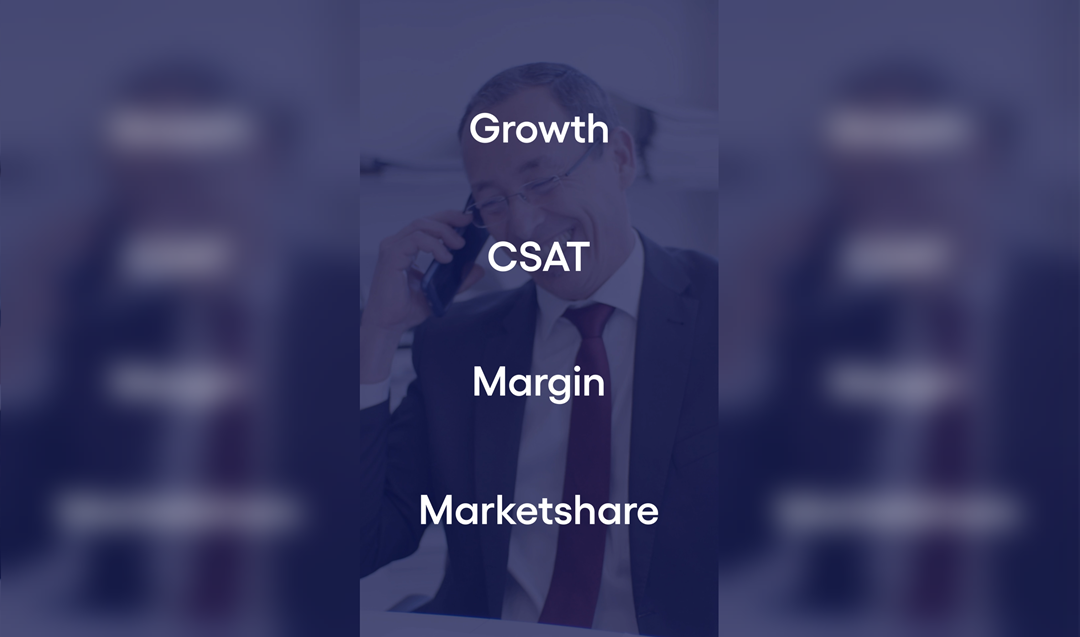
YouTube Short Video – Helping Clients Succeed

YouTube Short Video for Client Success Program

We created a visually engaging and highly effective YouTube Short to promote the Helping Clients Succeed program. Moreover, the video showcased the program’s core benefits in under a minute, making it ideal for grabbing attention in today’s fast-paced digital landscape.

By integrating dynamic animations, synchronized visuals, and upbeat music, we crafted a concise yet impactful storytelling piece. As a result, the video not only exceeded the client’s expectations but also became a standout promotional tool.

Ultimately, this project highlights our ability to develop compelling, time-efficient content that delivers results, even under tight deadlines.

Challenge

The client requested a YouTube Short video to promote their Helping Clients Succeed program. However, the video needed to effectively present key features in under a minute, making conciseness a priority.

To achieve this, we had to condense complex information into a clear, visually engaging format. Moreover, selecting the perfect music was crucial to enhancing viewer engagement. Finally, we had to meet a tight deadline while ensuring high production quality.

Goal

The goal was to create an engaging YouTube Short that captivates the audience while clearly communicating the program’s benefits. Moreover, the video needed to be concise yet impactful, ensuring that viewers quickly grasped the value of the Helping Clients Succeed program.

To achieve this, we focused on dynamic visuals, synchronized text animations, and an energetic soundtrack. Additionally, the video included a strong call to action, encouraging viewers to register immediately. Ultimately, this approach ensured maximum engagement while driving program sign-ups.

To ensure a high-impact YouTube Short, we prioritized visually compelling content and engaging storytelling. Moreover, we carefully structured the video to maximize clarity and retention within the platform’s short format.

By incorporating dynamic animations and synchronized visuals, we created a seamless viewing experience that kept audiences engaged. Additionally, we selected an upbeat soundtrack to enhance the video’s energy, making it even more captivating. Ultimately, this approach ensured the video effectively communicated key program benefits while driving registrations.

Features

  • To effectively highlight key program elements, we designed concise animations that showcased skills development, trust-building, and achieving win-win results.
  • Moreover, we selected an upbeat soundtrack to match the video’s energetic tone, ensuring maximum viewer engagement.
  • To enhance clarity, we synchronized text, visuals, and music seamlessly, creating a clear and memorable message.
  • Additionally, we tailored the video to align with YouTube Short guidelines, ensuring a visually appealing format with a runtime of under one minute.
  • Dynamic animations that simplify and emphasize program highlights.
  • Focused messaging crafted to appeal to busy professionals.
  • High-quality visuals to maximize audience engagement.
  • A clear call-to-action, encouraging registrations for the program.

The YouTube Short exceeded expectations and successfully met all the client’s objectives. Moreover, the client praised its ability to capture the essence of the program within the limited time frame. Additionally, they highlighted the visually engaging style, clear messaging, and seamless synchronization with the upbeat music. As a result, the video now serves as a key promotional tool for the program’s online marketing efforts.

Categories
Portfolio

Event Teaser Trailer

Captivating teaser trailer for a summer camp event.

We designed this teaser trailer to showcase an inspiring summer camp for employees and managers. Above all, the goal was to make it inviting, visually engaging, and concise—all in under one minute. By incorporating animated visuals, synchronized transitions, and an upbeat soundtrack, we created a video that captured the essence of learning, growth, and collaboration. Most importantly, the teaser trailer encouraged viewers to explore the event’s unique opportunities. As a result, the client was delighted with the outcome, praising the seamless sync between music and visuals.

Challenge

The client needed an engaging and captivating teaser trailer for a summer camp event aimed at managers and employees. Above all, the video had to entice viewers by highlighting opportunities for learning new skills, attending events, and joining conferences. Furthermore, the main challenge was to create a teaser trailer that was inviting, exciting, and concise—staying under one minute.

Goal

Our goal was to create a short, high-impact teaser trailer that effectively communicates the essence of the summer camp while motivating employees to participate. Moreover, the video needed to be engaging, visually dynamic, and concise—staying under one minute. By focusing on exciting visuals, seamless transitions, and an upbeat soundtrack, we ensured the teaser would capture attention and spark interest.

To achieve the client’s goals, we delivered a dynamic and visually appealing teaser trailer that effectively captivates viewers and highlights the summer camp experience. Furthermore, we ensured the video remained engaging, concise, and seamlessly structured to maintain audience interest.

Features

  • To showcase the event highlights, we crafted engaging visuals that emphasized skill-building, networking, and professional growth.
  • Additionally, we incorporated upbeat, energizing music to maintain a lively and captivating tone.
  • To enhance the experience, we ensured precise synchronization between the music and visuals, creating a seamless flow.
  • Moreover, we kept the teaser trailer concise and impactful, limiting it to under one minute.
  • Most importantly, we included a clear call-to-action that encouraged participation.
  • Finally, we maintained a consistent visual theme aligned with the summer camp’s branding, reinforcing its identity.

The teaser trailer was a huge success. Most importantly, the client appreciated the energy and excitement it conveyed. Additionally, they praised the perfect synchronization between the music and visuals, which made the video even more impactful.

Moreover, the concise format kept viewers intrigued and engaged, while still effectively promoting the event. However, due to NDA and music copyright restrictions, only a short segment of the video can be shared.

Categories
Portfolio

UPS Pickup Tutorial

Crafting an Engaging Sales Course to Drive Customer Satisfaction

This UPS Pickup Tutorial is about arranging a pickup for defective equipment doesn’t have to be complicated. This tutorial provides clear and actionable steps to help you prepare your equipment for collection. From verifying collection details to packing your device securely, this tutorial ensures a seamless process. Most importantly, it covers every detail to help you avoid common mistakes and ensure your device reaches its destination safely.

Challenge

The client provided an outdated animation that no longer met their current requirements. Most importantly, the original assets were missing, which meant we had to recreate everything from scratch. Using Illustrator, we carefully redrew all assets, modernizing them to achieve a cleaner and more professional look. After that, we animated these assets in After Effects, ensuring they were visually engaging and aligned with the client’s updated needs. Besides that, additional assets were drawn to enhance the animation and improve the overall flow, making the final product more comprehensive and polished. This process required both creativity and technical precision to deliver a high-quality result.

Goal

The goal was to create an engaging and easy-to-follow UPS Pickup Tutorial video that walked users through each step of the process. Most importantly, it needed to address common questions and minimize errors, ensuring a seamless experience for all involved. Also, we had to adhere to the style of an outdated animation video without source files.

We produced a comprehensive UPS Pickup Tutorial video, combining motion graphics, clear narration, and real-world scenarios to provide a complete guide. This ensured accessibility and clarity for all users. However the project proved to be more challenging. Since we only had an outdated video without source files, we had to redraw everything.

Features

  • Step-by-step visuals for the entire preparation and pickup process.
  • Detailed instructions on securing equipment using provided packaging materials.
  • Guidance on verifying collection details, including address and schedule.
  • Instructions for disabling passwords, backing up data, and removing accessories.
  • Tips on documenting the device’s condition with photos before transit.
  • Instructions for dealing with unsuccessful collection attempts and next steps.
  • Clear motion graphics illustrating proper packing techniques.
  • Delivered in 1920×1080 resolution with closed captions for accessibility.
  • Incorporated clear fonts and concise audio pacing to match professional standards.

The tutorial successfully simplified a potentially overwhelming process. As a result, the client reported reduced customer inquiries and smoother collections. Eventually, the video was praised for its clear visuals and engaging delivery, which made it easy for customers to follow along.

Categories
Portfolio

Marketing Video

A professional marketing video demonstrating how browser-based video tools

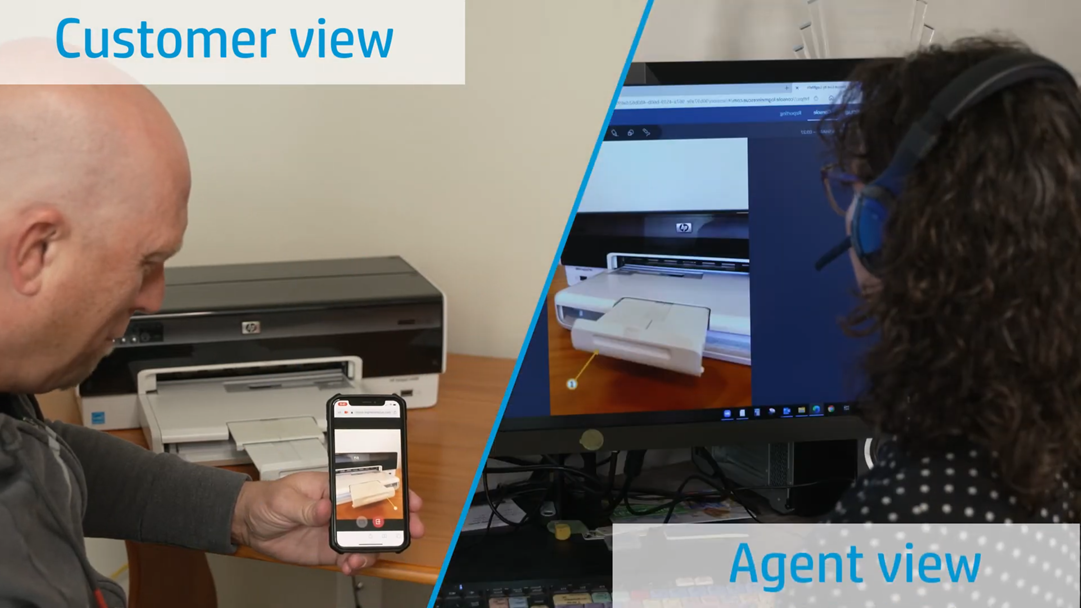
The marketing video was designed to simplify the tool’s concept, making it easily understandable for a wide audience. We focused on key features and benefits, breaking down the tool’s functionality into an intuitive, accessible format. Most importantly, we highlighted how the tool enhances the customer experience, saves time, and offers a more sustainable solution for remote support.

As a result, the client praised the video for its professional tone, which balanced being informative and engaging. They appreciated how it effectively communicated the tool’s core message. This made it easy for both customers and agents to grasp the tool’s value. Overall, the video successfully aligned with the client’s goals. It delivered an impactful marketing asset that resonates with the target audience.

Challenge

The client needed to showcase their browser-based video tool designed to enhance remote customer support. However, the challenge was to explain its functionality in a way that highlighted its simplicity and the benefits it offered to both customers and agents.

Goal

The goal was to create a professional marketing video that clearly demonstrated the tool’s ease of use, its positive environmental impact, and the improved customer experience it provides. To achieve this, we focused on simplifying the tool’s complex features while emphasizing its practical applications for both customers and agents. Additionally, the video highlighted the sustainability benefits of the tool, such as how it reduces the need for repair trips by replacing them with remote support. Ultimately, the goal was to ensure that viewers understood the tool’s advantages and could see its immediate value in real-world scenarios.

We produced a polished marketing video based on the client’s detailed guidelines. Most importantly, our focus was on highlighting the core features and key benefits of the tool to ensure a clear understanding for the target audience. To accomplish this, we included several critical aspects that demonstrate the tool’s value. These included the following:

Features

  • Split-screen views of customer-agent interactions, making the process easier to follow.
  • Simple steps to show how the tool eliminates the need for app installations.
  • Demonstrations of practical tools such as video annotations for clearer guidance.
  • Emphasis on sustainability, highlighting how remote support can replace repair trips, reducing environmental impact.
  • Clean, professional transitions, supported by consistent fonts and visually appealing designs to enhance brand consistency.
  • HD quality delivery, ensuring the video was clear and professional at all times.
  • Thumbnail creation for video marketing purposes, optimizing click-through rates.
  • Archiving the content for easy access and future use.

We produced a polished marketing video to simplify the tool’s concept for a wide audience. Initially, we focused on breaking down its features into easy-to-understand segments. As a result, complex functions were explained through simple visuals and step-by-step demonstrations. This allowed both tech-savvy users and beginners to grasp the tool’s value effortlessly.

Most importantly, we emphasized the ease of use, highlighting how customers and agents could use the tool seamlessly. Additionally, we showcased its environmental impact, replacing repair trips with remote support to reduce carbon footprints. Furthermore, we illustrated how the tool improves the customer experience, empowering agents to offer faster and more efficient support.

The client was extremely pleased with the final video. They praised its professional tone and clarity in delivering a message aligned with their goals. The video was also noted for how it captured the tool’s core benefits and conveyed them with simplicity. Moreover, it helped raise awareness and increased confidence in the tool’s capabilities.

In conclusion, this marketing video became a key asset for the client, ensuring greater engagement from their target audience and reinforcing their mission to innovate in customer support.

0 + views
Categories
Portfolio

Windows 11 Tutorial Video

Camera Management with a Windows 11 Tutorial

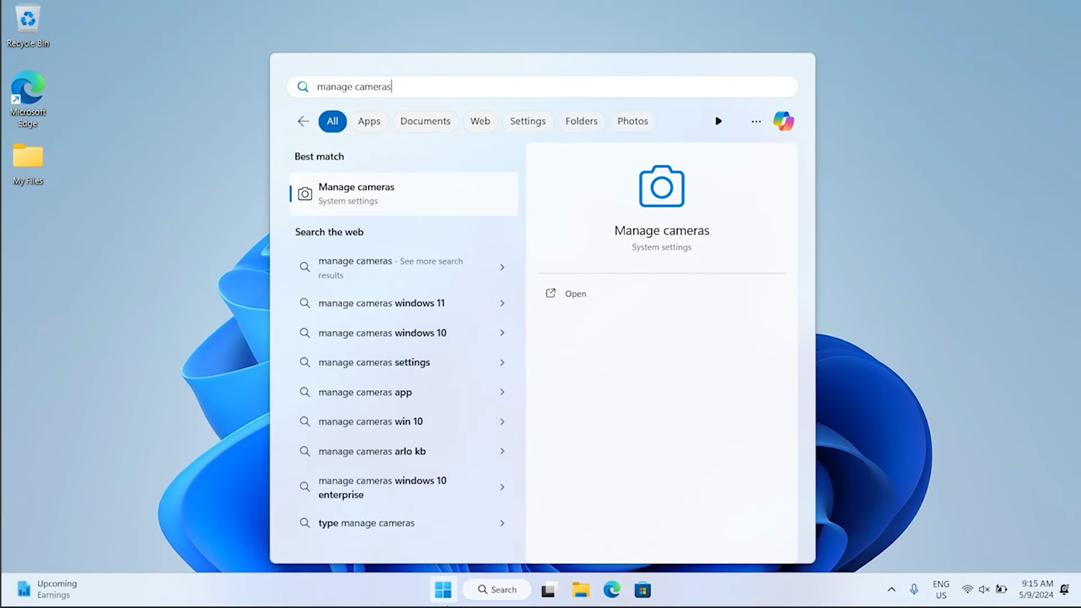
This Windows 11 tutorial demonstrates how to manage camera settings with ease. Initially, the client requested a video that was both detailed and easy to follow. To meet this request, we created a step-by-step guide that is clear and accessible for all users. Moreover, the tutorial was designed to cater to all skill levels, making it useful for both beginners and advanced users alike.

Most importantly, this tutorial simplifies the process of adjusting camera settings in Windows 11, ensuring it’s intuitive for anyone. Furthermore, it highlights how powerful and user-friendly learning materials can significantly enhance the user experience. In conclusion, the tutorial delivers clarity and accessibility, empowering users to feel confident in managing their camera settings.

Challenge

The client requested a Windows 11 tutorial on managing camera settings. However, the challenge was to create a video that was clear enough for beginners yet detailed enough for advanced users. Moreover, the tutorial had to align with corporate style rules and meet a strict deadline, requiring precision in both content and execution.

Goal

The goal was to deliver a professional tutorial that provided clear instructions alongside engaging visuals. Therefore, the tutorial had to guide users step by step, ensuring that each instruction was simple to follow. In addition, it needed to maintain a polished, visually appealing format, making the learning experience both accessible and engaging for users at every skill level.

To meet the client’s expectations, we created a high-quality Windows 11 tutorial that combined clear visuals with actionable steps to help users manage their camera settings effectively. Most importantly, the tutorial was crafted with both beginners and advanced users in mind, ensuring that it was accessible to users at all skill levels. We focused on providing easy-to-follow instructions while also incorporating the level of detail that more experienced users need. As a result, we delivered a comprehensive, user-friendly guide that enabled users to confidently adjust their camera settings. The tutorial also adhered to corporate style guidelines, maintaining a professional look and feel throughout.

Features

  • Step-by-step instructions for managing camera settings in Windows 11, ensuring clarity for users of all levels.
  • Recorded steps were captured to be used in footage, enhancing clarity and ease of understanding.
  • Raw footage editing helped to keep the video concise, effective, and engaging, improving the viewer’s experience.
  • Color correction was applied to enhance the tutorial’s visual clarity, making it more appealing and easier to follow.
  • Thumbnail, captions, and archive creation were included to ensure smooth access and usability across different platforms.
  • Strict adherence to corporate style guidelines maintained a polished, professional look and feel throughout the video.
  • Fast turnaround time, ensuring that we met the client’s tight schedule and requirements without compromising quality.

This Windows 11 tutorial combines clear instructions, quick editing, and engaging visuals to create an effective learning experience. Ultimately, it helps users feel confident and empowered while managing their camera settings.

The client was thrilled with the Windows 11 tutorial. They particularly appreciated how the video delivered clear instructions while maintaining visual appeal. Besides that, they highlighted how the tutorial perfectly adhered to their corporate style rules. Even with a short deadline, we successfully delivered a polished product that met their expectations.

Moreover, the Windows 11 tutorial is now available on YouTube and continues to help users easily manage their camera settings. This positive feedback underscores our commitment to creating tutorials that not only meet client needs but also remain practical and professional.

0 + views
Categories
Portfolio

Remote System Management

Effortless Remote Management Solutions for Modern Workstations

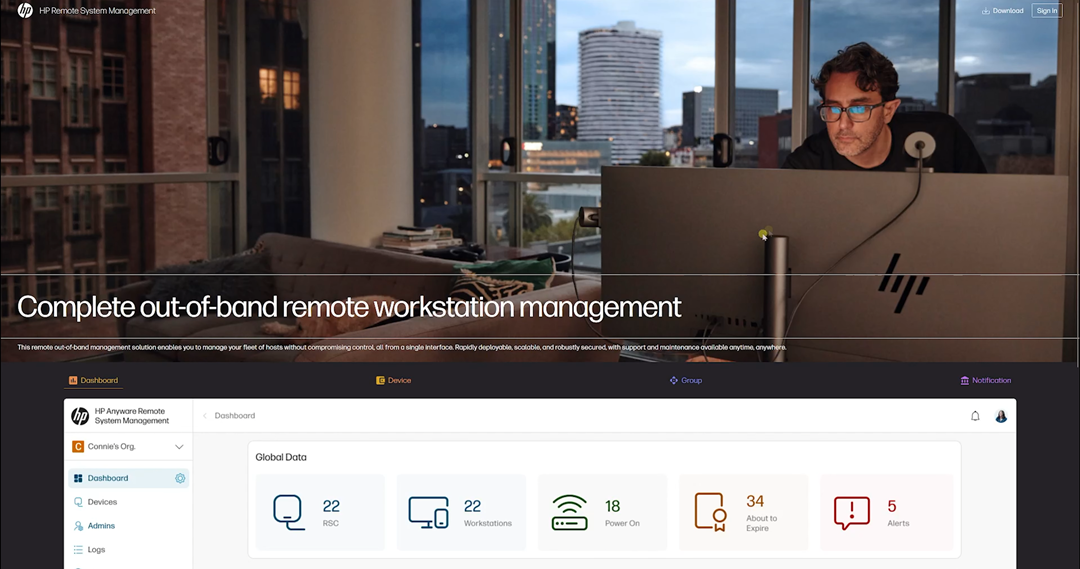
This remote system management project was designed to offer users a seamless and secure solution for managing their workstations remotely. Most importantly, the video tutorial simplifies the enrollment process, making it intuitive and engaging for users. Moreover, with a professional approach and rapid delivery, this project highlights the balance between technical precision and user accessibility. As a result, users can quickly integrate their devices with confidence and ease.

Challenge

The client required a remote system management tutorial that was both professional and easy to understand, catering to users with varying technical skill levels. Additionally, they emphasized the importance of strict adherence to corporate style guides while ensuring the project was delivered within a tight deadline.

Goal

The goal was to create a video that clearly and effectively explained the enrollment process, ensuring it aligned with the client’s branding and remained accessible to a global audience. Furthermore, it needed to meet the increasing demand for secure, out-of-band management solutions, providing both clarity and compliance with industry standards.

To successfully deliver this project, we took a detailed and efficient approach to meet the client’s specific requirements while maintaining high-quality standards.

First, we analyzed the client’s needs and corporate guidelines to ensure the tutorial aligned with their branding and communication style. Next, we developed a clear and engaging script, simplifying complex technical processes for users of all skill levels.

Moreover, we optimized the video for global accessibility, ensuring it was visually intuitive and professionally polished. As a result, the final product provided a seamless learning experience while meeting the growing demand for secure, out-of-band management solutions.

Features

  • Produced a 4K-quality video to achieve exceptional clarity and professionalism.
  • Edited raw footage to streamline and enhance the visual flow, ensuring a seamless viewing experience.
  • Applied precise color correction to maintain visual consistency and align with corporate branding.
  • Created thumbnails and additional resources, such as captions for improved accessibility.
  • Archived assets for future reference and easy updates.
  • Ensured strict adherence to the client’s corporate style guides, maintaining brand consistency throughout.
  • Delivered the final project within an extremely short timeframe, meeting the client’s urgent deadline without compromising quality.

As a result, this structured approach guaranteed that the video met all technical, branding, and usability standards, providing a professional and engaging user experience.

The client praised the project for its professionalism, quality, and attention to detail. They highlighted how the remote system management tutorial successfully met their corporate standards while simplifying a complex process for users.

The video is now live on YouTube, reaching a wide audience and providing value to countless users. The client also commended the swift turnaround time, which allowed them to meet their internal deadlines effortlessly. This collaboration underscored our commitment to delivering high-quality solutions, even under tight schedules.

0 + views

Let's Discuss!